Search & Locate Materials Easily with KOHA

The UPLB University Library system uses KOHA, an open-source integrated library system.
Instead of the usual library card, you can use your Koha account to search the online catalog, reserve books, check your transactions, and save the bibliographic details of any materials.
Know more:
OPAC
ONLINE PUBLIC ACCESS CATALOG
It allows easy and quick searching of library holdings.

To search the OPAC, enter your keywords in the search box at the topmost part of the page or click the ‘Advanced search’ link to perform a more detailed search.
By default, the search results are sorted by relevance. You may choose other sorting methods from the drop-down menu on the right. You may also refine your search using the parameters on the left side of the page.
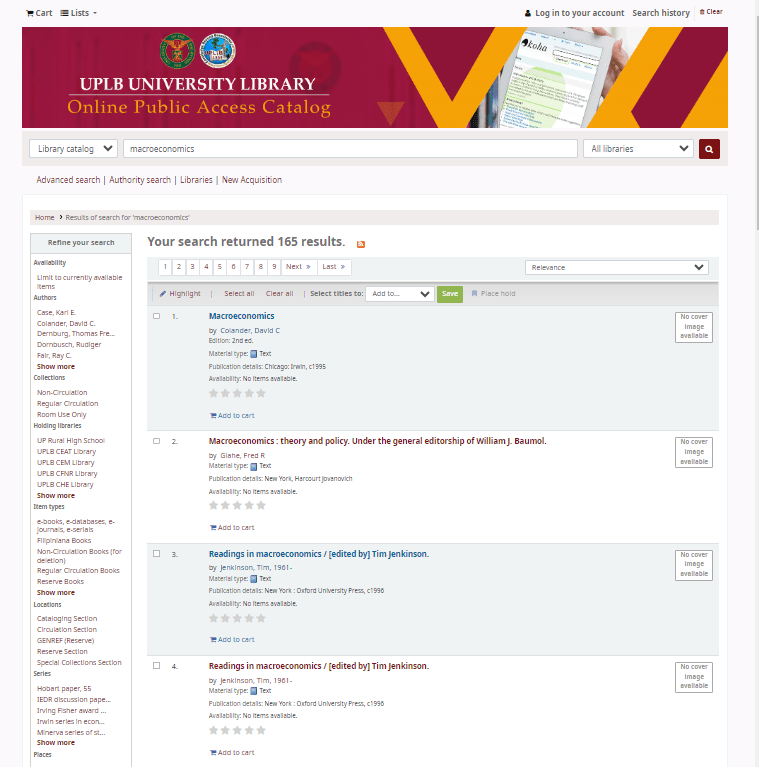
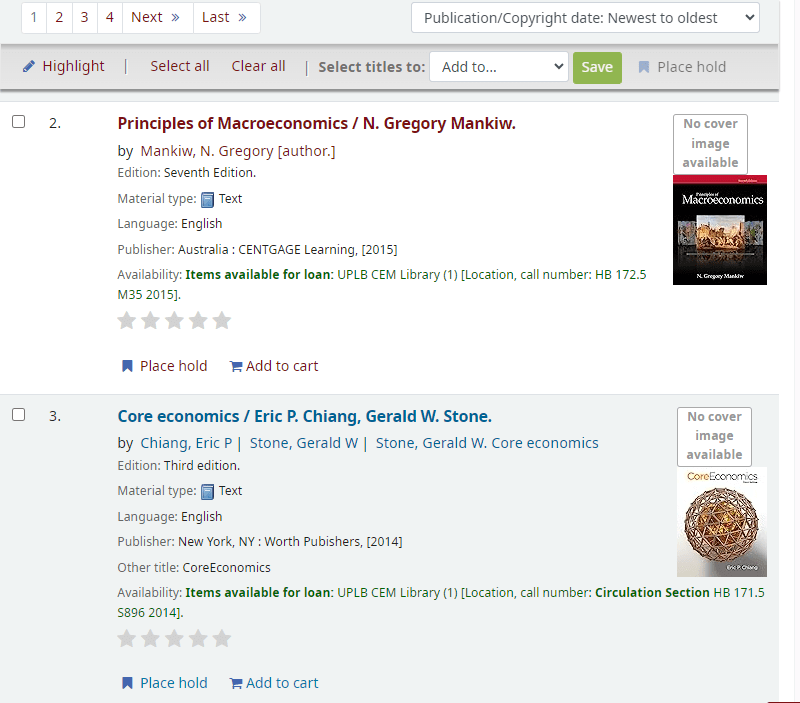
The search result also provides the basic bibliographic details of each material.
Click a title from the search result to view the detailed bibliographic record of the material. There are also several navigation links anchored to material that will aid your research.
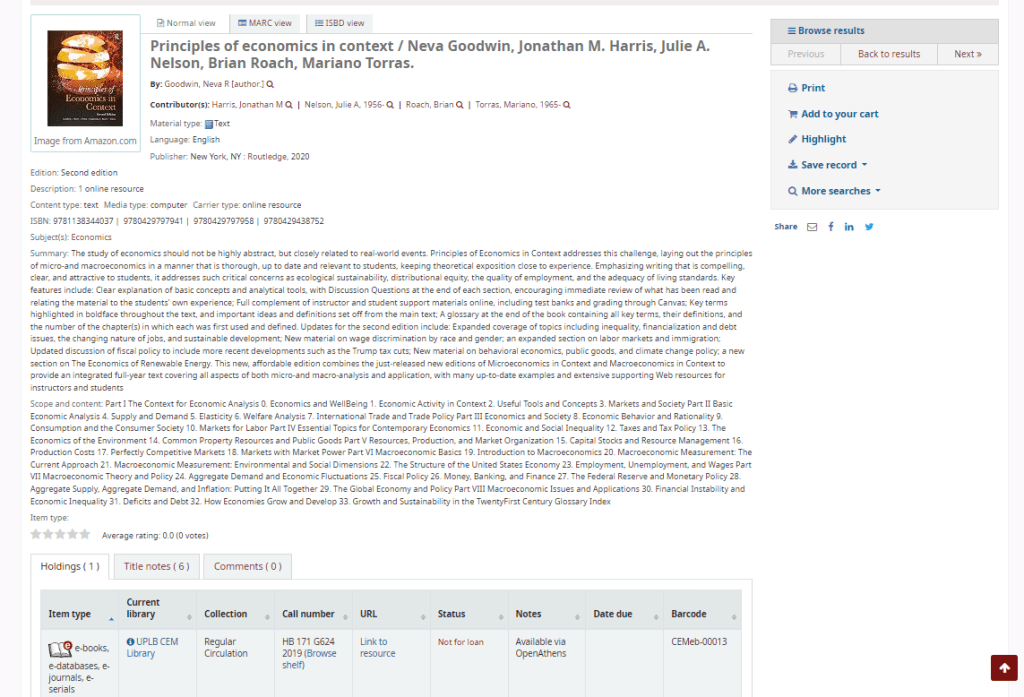
- Click the author’s name to trigger the author search and retrieve other materials by that specific author in the database.
- Check the description of the record you’re viewing
- Find the subject headings, which can be clicked to search for other titles on similar topics
- You will also find the summary or content details.
- The tabs on the lower part provide other details, such as notes, comments, and holdings data where you can find the item type, status, location, and availability of the material.
KOHA Account
FIRST-TIME LOG-IN: use the following credentials to log in to your account. You may also opt to change your password to secure your account.
Username: Your student number (20xxxxxxx)
Default Password:
uguplb (for undergraduate students)
gsuplb (for graduate students)
We do not reset existing accounts unless requested.
Kindly inform us if you are having trouble accessing your account.
 CEM Library