How often have you gone to the library to check out a book only to discover that another person has already borrowed it?
Never miss out on your reference materials. PLACE IT ON HOLD.
When an item is held for you or “on hold,” it simply means you’ve been placed in line once the copy becomes available, and you will be able to check it out.
If you have to put an item on hold that your library owns but is checked out, you don’t necessarily have to wait for that person to bring it back. Here’s how:
Placing holds via KOHA.
Patrons can place holds on items via the OPAC if they’re logged in using their KOHA account. If the item can be placed on hold, the option to place it on hold will appear in several different places.
When viewing a list or search results page, you can place a hold on multiple items by checking the boxes to the left of the results and clicking ‘Place hold’ at the top.

When viewing a list or search results page, you’ll see the option to place the item on hold below the basic information about the title.

When viewing an individual title, you’ll see the option to place a hold in the box on the right side of the screen.
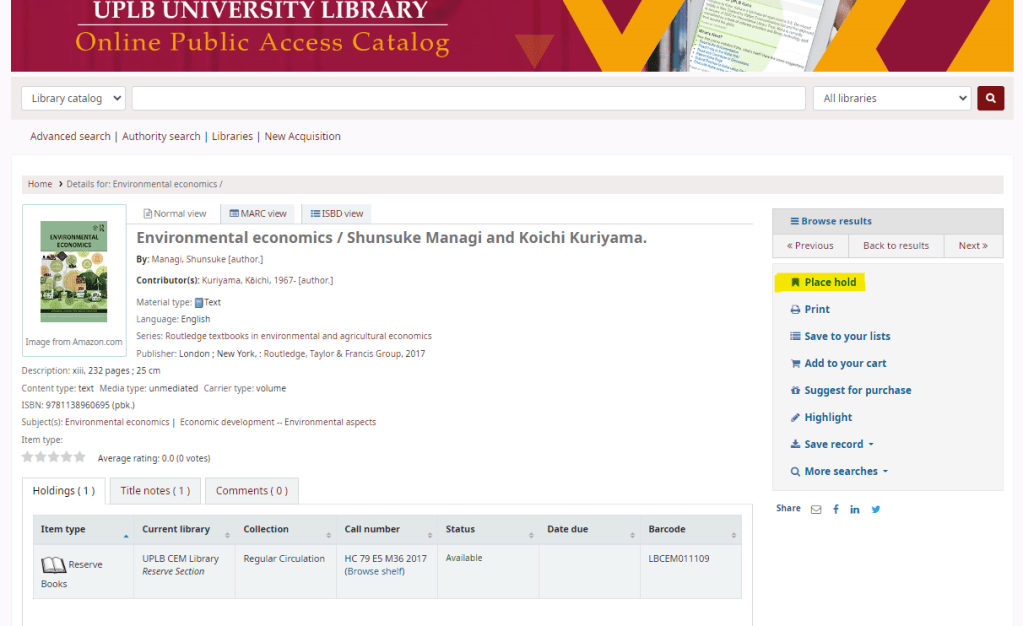
You’ll be brought to the same hold screen no matter which links you click to place your hold.
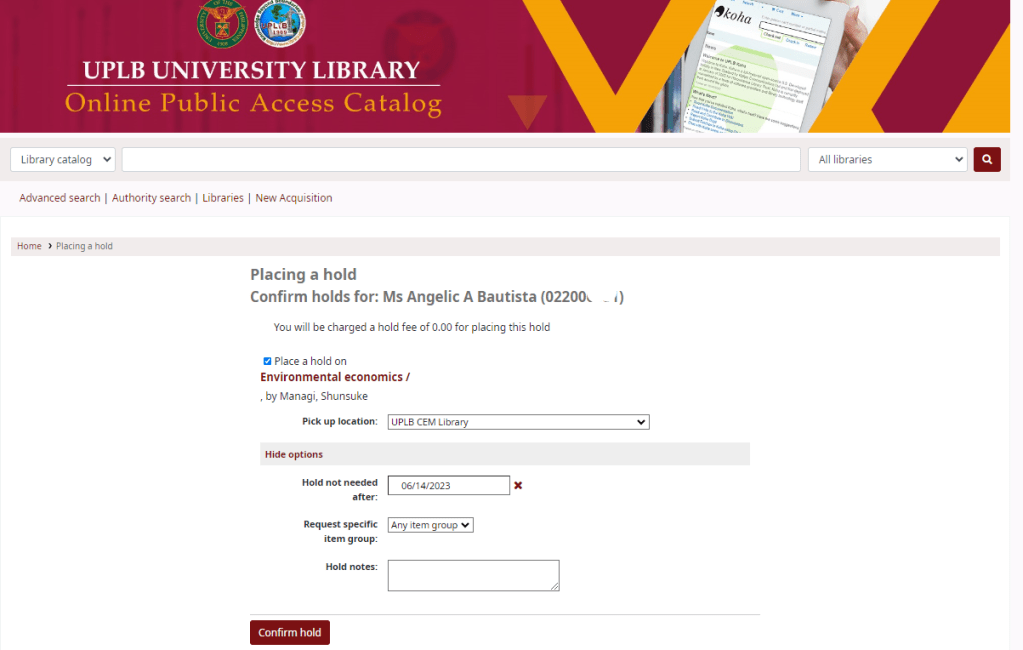
- Check the box to the left of the items you’d like to place on hold.
- The title includes a link back to the detail page for the record.
- The pickup location is where the book is located. Book pickups from other location aside from the holding library is not available.
- Under the Show more options, if the record had more than one item type (Reserved, Circulation, etc.) attached, you will see an option to choose to limit the hold to a specific item type.
- By default, holds placed in the system remain until canceled, but if the patron fills in a Hold not needed after the date, then the hold has an expiration date.
- Patrons can leave notes about their holds for the library by clicking the Edit notes button.
After clicking the Confirm hold button, the patron will be brought to their account summary page, where they’ll see all the items they have checked out or placed on hold.

 CEM Library